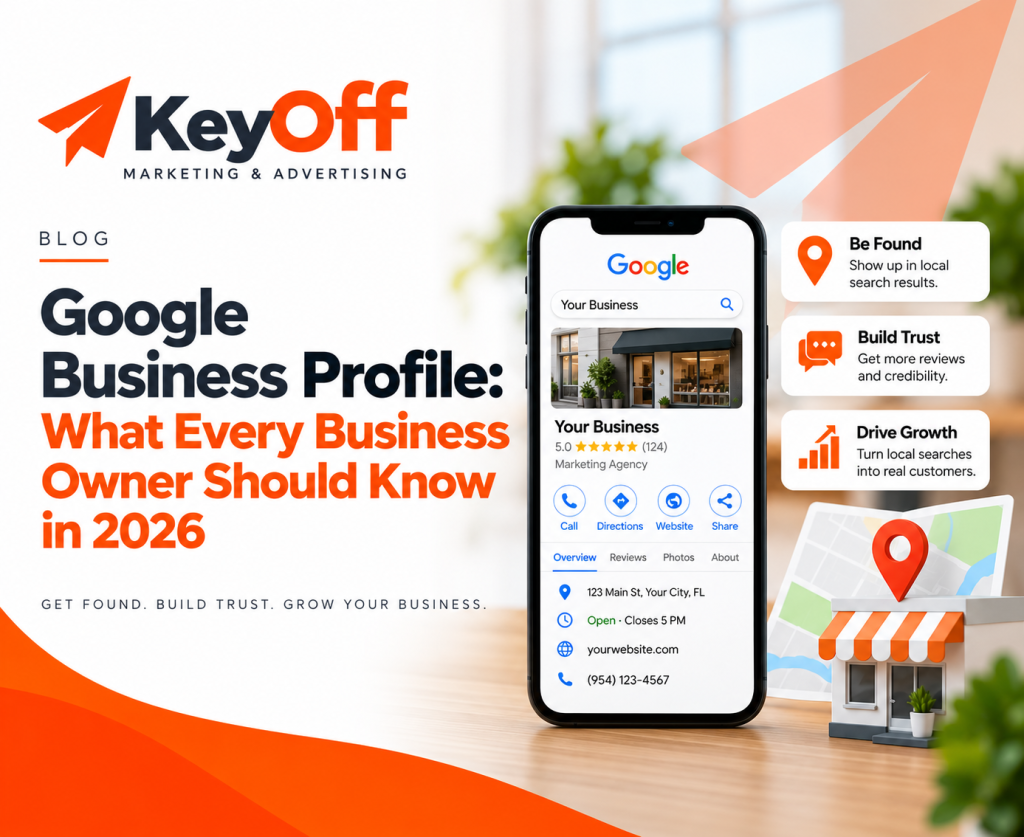
How to Get Your Business Found on Google
When potential customers need a product or service, Google is often one of the first places they look. Improving your visibility starts with making it easy for Google and potential customers to understand who you are, what you offer, and how to contact your business.

Getting found on Google is not about shortcuts. It starts with accurate business information, a useful website, a strong Google Business Profile, and a consistent online presence.
What does getting found on Google mean?
Your business can appear on Google in several ways. A customer may discover your website in regular search results, see your Google Business Profile in local results, find your business on Google Maps, or reach one of your service pages while researching a specific solution.
For many local businesses, the strongest approach is to make your website and Google Business Profile work together.
Your Google profile provides essential information such as your category, location or service area, hours, website, phone number, photos, and reviews. Your website gives you more room to explain your services, experience, value, and the next step customers should take.
1. Claim and verify your Google Business Profile
If your business is eligible for a Google Business Profile, claiming and verifying it should be one of your first steps. A verified profile allows you to manage important information that can appear on Google Search and Google Maps.
Make sure your profile accurately reflects your real business. Complete and current information makes it easier for customers to understand what you do and how to reach you.
Check these important details
- Business name
- Primary business category
- Address or service area
- Phone number
- Website URL
- Business hours
- Services
- Relevant business attributes
Your Business Profile should represent your actual business. Avoid adding unnecessary keywords to your business name or choosing unrelated categories simply to try to appear for more searches.
2. Understand what influences local search visibility
Google explains that local results are mainly based on three factors: relevance, distance, and prominence.
Relevance
Relevance is how closely your business matches what someone is searching for. Clear categories, complete business information, detailed service pages, and useful website content can help Google understand your business.
Distance
Distance considers how far a business is from the person searching. Because location matters, local results may look different depending on where the searcher is.
Prominence
Prominence relates to how established or well-known a business appears. Reviews, links, and information about your business across the web can contribute to that picture.
You cannot control every ranking factor, but you can control the quality, accuracy, and consistency of your digital presence.

3. Build a website Google can understand
Your website helps search engines and customers understand your business in more detail.
A clear website structure is usually more helpful than trying to place every product or service on one page.
Create useful pages for your main services
If you offer several important services, consider giving each one its own page.
A well-developed service page should explain:
- What the service is
- Who it is for
- What problem it solves
- What customers can expect
- Why your business is qualified to help
- What the visitor should do next
Write for customers first
Avoid filling pages with repetitive keywords. Instead, answer the questions real customers have.
Use descriptive headings, explain your services clearly, include useful details, and make your contact information easy to find.
4. Make your location or service area clear
If your business serves a particular geographic area, make that clear on your website and Google Business Profile.
Businesses with a physical location should use accurate location information. Service-area businesses should clearly explain the communities or areas they genuinely serve.
Avoid creating dozens of nearly identical pages simply to target different city names. Location pages should provide real value to people in those areas.
5. Keep your information consistent online
Customers may find your business through your website, Google Business Profile, directories, social media, review sites, and other online sources.
Your important business information should be consistent wherever possible.
- Business name
- Phone number
- Website
- Address or service area
- Business hours
- Services offered
6. Ask genuine customers for reviews
Reviews help potential customers understand other people's experiences with your business.
Encourage genuine customers to leave feedback when appropriate and make it easy for them to find your review link.
Respond to reviews professionally — including critical ones. A thoughtful response can show potential customers that your business pays attention to feedback.
7. Add current, useful photos
Photos can make your business more understandable before a customer ever contacts you.
Depending on the type of business, useful images may include:
- Your storefront or office
- Your team
- Products
- Completed projects
- Equipment
- Examples of your services
Choose photos that are clear, current, and representative of the real customer experience.
8. Use Google Search Console
Google Search Console can help you understand how Google sees your website.
You can use it to review indexing, search performance, search queries, clicks, impressions, and technical issues that may affect your website's visibility.
It is especially useful after publishing new pages or making major changes to your website.

9. Consider Local Business structured data
Structured data is code that gives search engines additional context about the information on a page.
Local businesses can use appropriate LocalBusiness structured data to describe details such as the business name, address, hours, and other relevant information.
Structured data should match the actual information shown on the website. It should not be treated as a shortcut to better rankings.
10. Publish content that answers customer questions
Helpful blog content can strengthen your overall search presence by answering questions related to your services and expertise.
Think about the questions customers ask before contacting you.
- How much does the service cost?
- How long does the process take?
- What should I look for in a provider?
- What common mistakes should I avoid?
- How do I know whether I need this service?
Those questions can become useful articles that educate customers while giving search engines more context about your area of expertise.
11. Make your website mobile-friendly
People searching locally are often using their phones. Your website should make it easy for them to quickly understand what you do and contact you.
Keep navigation simple, use readable text, avoid unnecessary clutter, and make important actions easy to complete.
- Call your business
- Request information
- Get directions
- View services
- Submit a contact form
12. Track what is actually working
Search visibility is valuable when it leads to real business opportunities.
Monitor more than just your position in search results. Pay attention to the actions people take.
- Website visits
- Phone calls
- Contact form submissions
- Direction requests
- Search clicks
- Qualified inquiries
Your Google visibility checklist
Use this checklist to review your current online presence.
- Claim and verify your Google Business Profile
- Complete all relevant profile information
- Choose accurate business categories
- Keep your hours and contact details current
- Add clear and current photos
- Encourage genuine customer reviews
- Respond to customer reviews
- Create strong service pages
- Clearly communicate your service area
- Keep business information consistent
- Set up Google Search Console
- Publish helpful customer-focused content
- Monitor calls, inquiries, clicks, and leads
Getting found on Google takes consistency
There is no single setting that guarantees a top position on Google.
Stronger visibility comes from building a useful, trustworthy, and consistent digital presence over time.
Start with accurate information. Build a professional website. Keep your Google profile current. Create useful service pages. Earn genuine reviews. Publish helpful content. Then monitor what is actually helping customers discover your business.
The goal is not simply to rank higher. The goal is to make it easier for the right customers to discover your business, understand what you offer, trust what they see, and take the next step.
Find out how your business looks from a customer's perspective.
Use our free Digital Presence Check-Up to review your website and online presence and identify areas that may need attention.