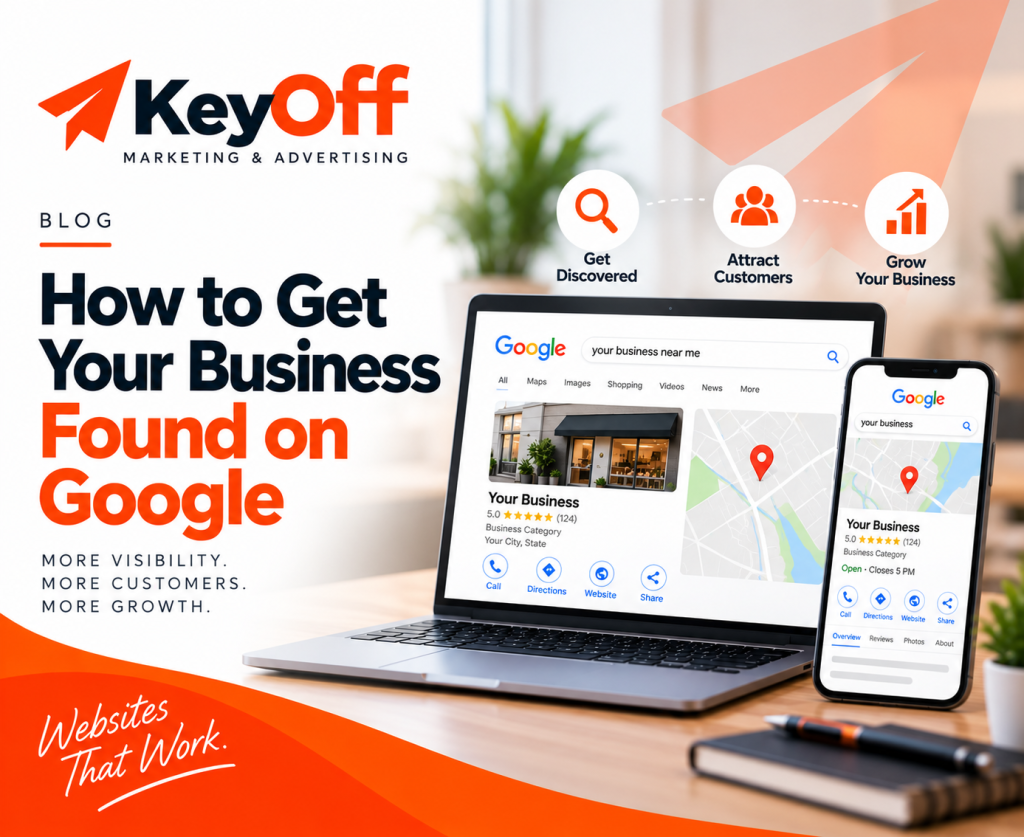
Google Business Profile: What Every Business Owner Should Know in 2026
Your Google Business Profile can be one of the first things potential customers see when they search for your business. In 2026, keeping your profile accurate, complete, and professional is an important part of maintaining a strong local online presence.

Your Google Business Profile is often one of the first places customers can learn about your business on Google Search and Google Maps. Keeping it accurate helps customers find the information they need.
What is a Google Business Profile?
A Google Business Profile is a business listing that can appear on Google Search and Google Maps. It allows eligible businesses to manage important information that customers may see when they search for the business or related local services.
Business owners can manage information such as their business hours, phone number, website, location or service area, photos, services, and other profile details.
Google says Business Profiles are designed for businesses that interact with customers in person, including storefront businesses and businesses that travel to customers. Online-only businesses generally aren't eligible for a Business Profile.

Why your Google Business Profile matters
When someone searches for a local business, Google may display business information directly in Search and Maps. Customers may see information such as your business name, hours, phone number, website, photos, reviews, and location or service area.
That means your profile can help answer some of the most basic questions a potential customer has before they decide whether to contact you.
A complete profile can also make it easier for customers to take the next step, such as visiting your website, calling your business, or finding your location.
5 things every business owner should check
You don't need to spend hours every day managing your Google Business Profile. But you should periodically review the information customers see.
1. Make sure your business information is accurate
Start with the basics.
- Business name
- Phone number
- Website
- Business hours
- Address or service area
- Services
If any of this information is outdated, customers may receive incorrect information when they are trying to contact or visit your business.
2. Choose the right business category
Your business category helps describe what your business does. Google recommends choosing the fewest categories necessary to describe your core business accurately.
Your category should represent your actual business rather than being used simply as a list of keywords. Choosing categories carefully can help keep your profile aligned with Google's guidelines.
Your business name should reflect your real-world business name. Adding unnecessary keywords or promotional information to the name is not permitted by Google's guidelines.
3. Use high-quality photos
Photos can help customers understand what your business looks like, what you offer, and what they can expect.
Depending on your business, this could include photos of your storefront, team, products, completed projects, equipment, workspace, or services.
The goal isn't simply to upload as many photos as possible. The goal is to give potential customers useful and accurate visual information about your business.

4. Pay attention to your reviews
Reviews are another important part of your Google presence. Customers can leave reviews on your Business Profile, and business owners can read and respond to them.
Responding professionally can show that your business is paying attention to customer feedback and is actively managing its online presence.
Don't focus only on positive reviews. When appropriate, respond to concerns calmly and professionally while following Google's review policies.
5. Connect your profile to a professional website
Your Google Business Profile and your website should tell a consistent story about your business.
Your profile can help people discover your business, while your website can provide more information about your services, experience, projects, products, and ways to contact you.
Check that the business name, phone number, services, and other important information are consistent across your online presence.
What about Google Reviews?
Reviews deserve special attention because they are customer-generated content that appears alongside other business information on your profile.
Business owners should monitor their reviews and respond when appropriate. Google also provides tools for businesses to share a review link or QR code when asking customers for reviews.
The goal should be to make it easy for genuine customers to share their experience while keeping your review activity consistent with Google's policies.
Don't think of your Google reviews as something you simply collect. They are part of the ongoing conversation customers can see when researching your business.
Don't let your profile become outdated
One of the easiest mistakes to make is creating a Google Business Profile and then forgetting about it.
Businesses change. Hours change. Services change. Businesses move, add new services, update their websites, hire new team members, and complete new projects.
Your Google profile should reflect those changes when appropriate.
Google can also receive information about businesses from other sources, including publicly available web content, third-party data, and user contributions. That means it is worth checking your profile periodically rather than assuming every detail will remain unchanged.

Your Google Business Profile checklist
Use this quick checklist to review your profile.
- Your business name is accurate
- Your phone number is correct
- Your website link works
- Your business hours are current
- Your address or service area is accurate
- Your primary business category is appropriate
- Your services are up to date
- Your photos accurately represent your business
- You are monitoring customer reviews
- Your Google information matches your website
Your Google profile is part of a bigger picture
A Google Business Profile is valuable, but it shouldn't exist by itself.
Your customers may encounter your business through Google Search, Google Maps, social media, your website, online reviews, directories, referrals, or other channels.
These different touchpoints should work together.
Your Google profile can help people discover you. Your website can help them learn more. Your reviews can provide customer feedback. Your social media can help you stay visible.
Together, they create a more complete digital presence.
Think of your online presence as a customer journey
Discover → Learn → Trust → Contact
Each step should make it easier for a potential customer to understand who you are, what you offer, and what to do next.
Take a few minutes to check your digital presence
You don't need to be an SEO expert to start improving your online presence.
Start with the basics. Search for your business on Google. Look at your Business Profile the way a potential customer would see it.
Is the information accurate?
Does your website look professional?
Are your contact details easy to find?
Do your Google profile, website, and social media accounts present a consistent picture of your business?
Your digital presence doesn't have to be perfect. It needs to be accurate, professional, useful, and easy for customers to navigate.
Your Google profile is only part of the picture.
See how your website and overall digital presence look from a customer's perspective with our free Digital Presence Check-Up.